Admin Setup
Admin Setup Includes-
- Domain Setup
- User Roles/Permission
- Hubspot Tracking Code Setup
- Installation of required Hubspot connectors as mentioned below-
- Social Media Posting Connectors Setup (Facebook, Twitter, LinkedIn and Instagram)
- Google Ads Connector Setup
- Facebook Ads - Lead Capture

Admin Setup
Domain Setup
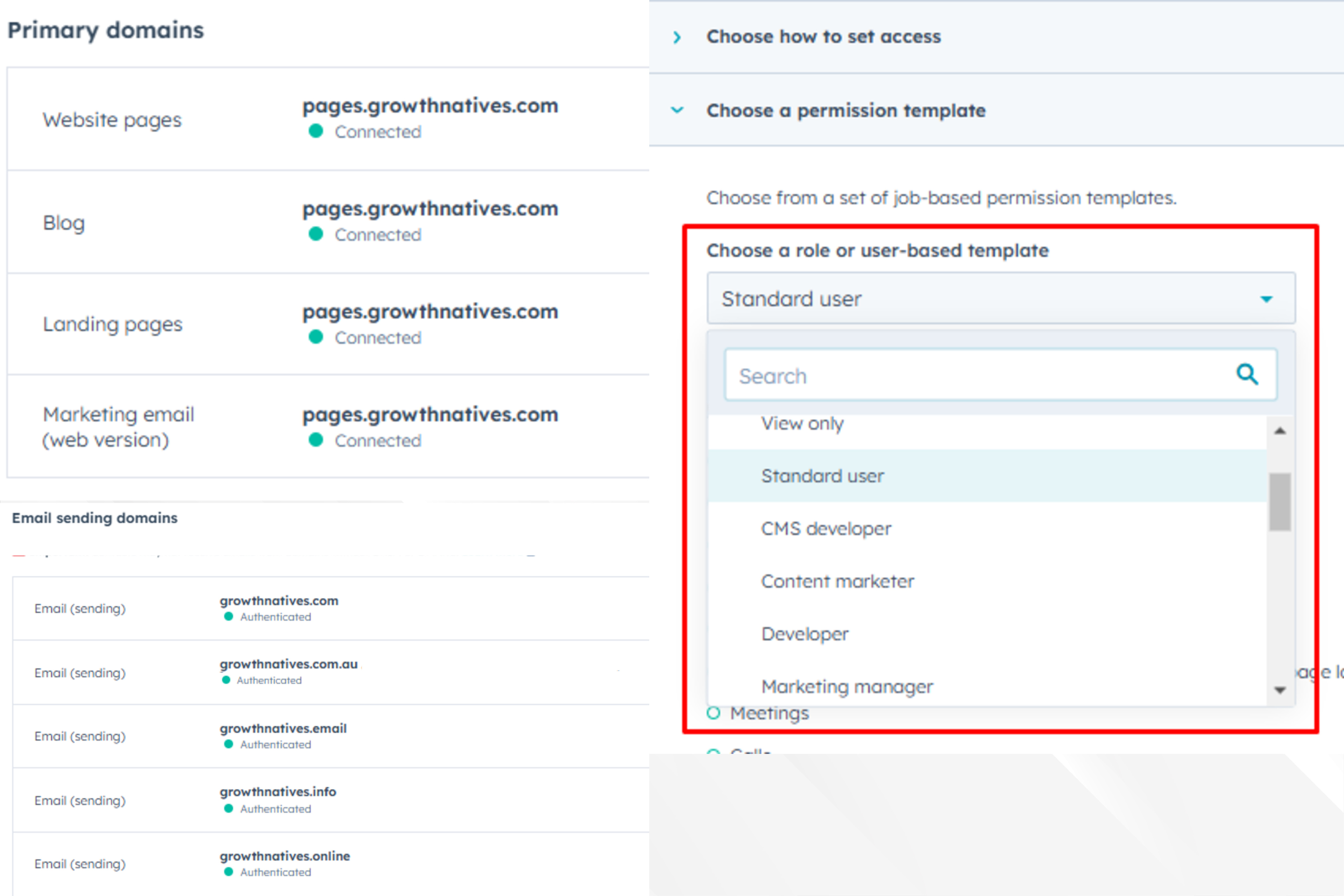
If you want to send marketing emails from your own domain, you can connect your email sending domain to HubSpot. This will give HubSpot permission to send emails on your behalf using DKIM (Domain Keys Identified Mail) email authentication.
Connecting an email sending domain provides the following benefits:
- Your marketing emails will have a lower chance of being marked as spam.
- Your marketing emails will no longer display via HubSpot after the sender information.
Admin Setup
User Roles/Permission
HubSpot users with "Add & edit users" permissions can manage user permissions. Permission sets allow admins to create preset permissions for teams, making it easy to assign the same permissions to multiple users. Super admins can create up to 100 permission sets, while other admins can only assign permission sets they have access to.
Hubspot Tracking Code Setup
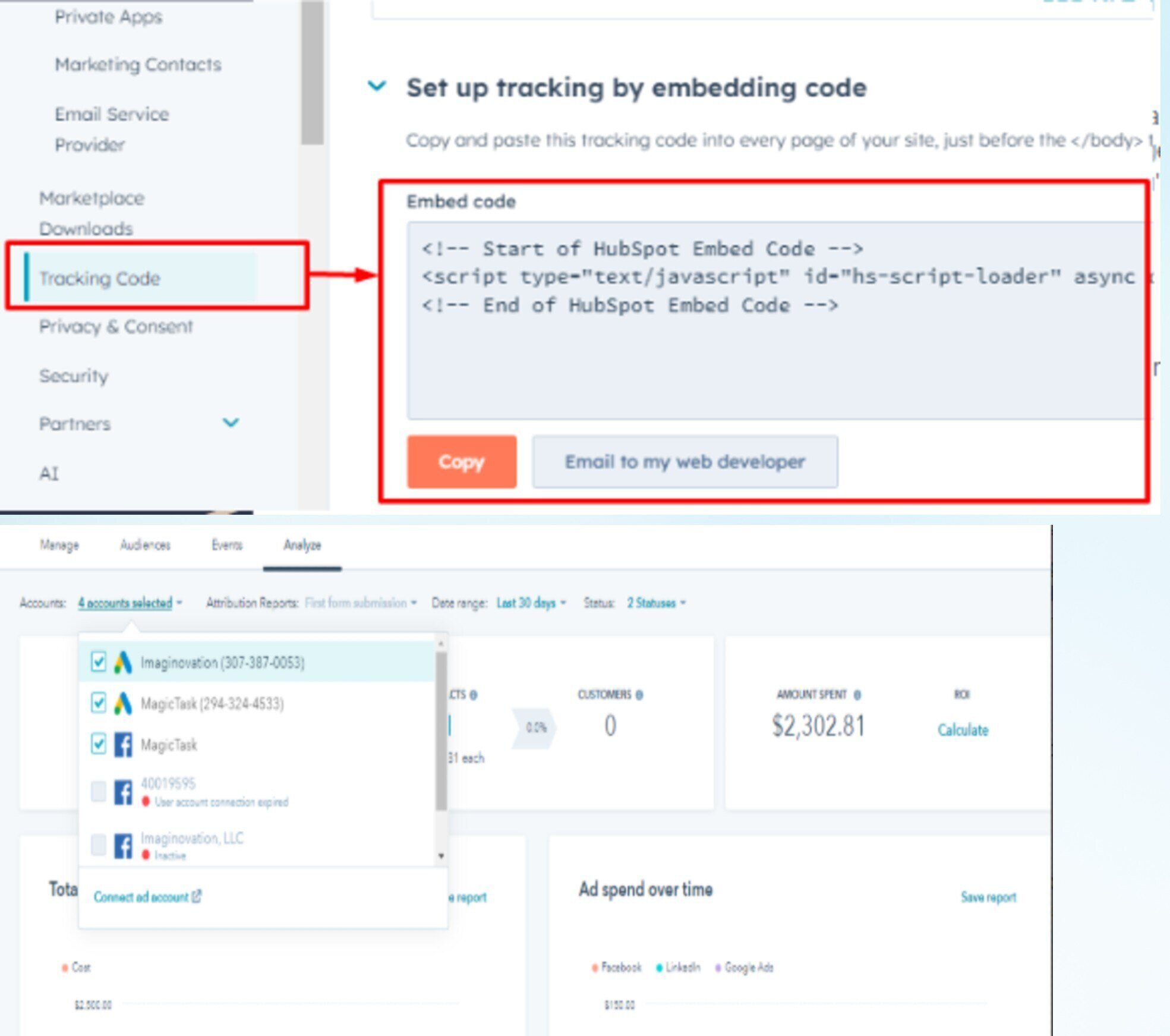
The HubSpot tracking code helps monitor website traffic and is automatically included on HubSpot pages such as blogs, landing pages, and website pages. Each account has a unique tracking code. For externally hosted pages, you'll need to manually install the code to capture analytics for those pages.
Installation Of Social Connectors
Installation of required Hubspot connectors as mentioned below-
- Social Media Posting Connectors Setup (Facebook, Twitter, LinkedIn and Instagram)
- Google Ads Connector Setup
- Facebook Ads - Lead Capture
Ad interactions include when users click on your ads or submit a form after they engaged with your ad. Each ads interaction filter represents a trackable ad interaction, such as identifying which contacts clicked through to your website from a specific Google Ads campaign.
Properties
Custom Properties
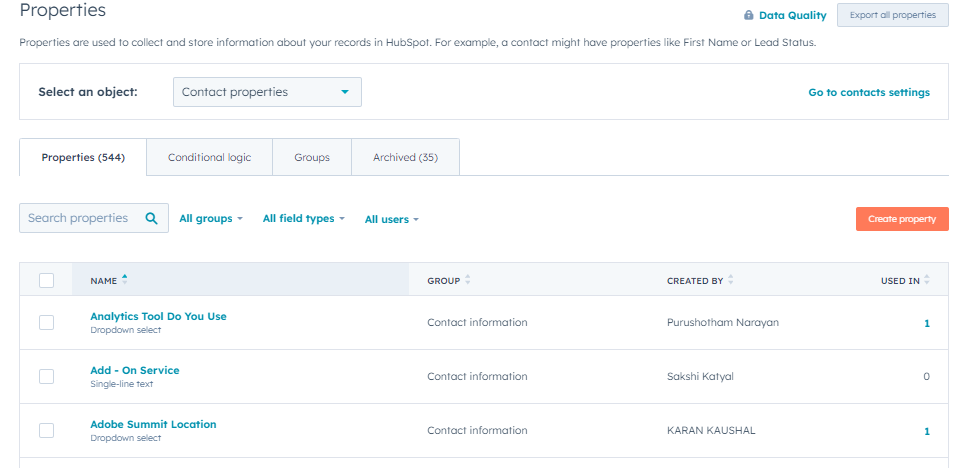
Custom properties in HubSpot store unique data on records, such as a "City" property to track company locations. When creating a custom property, choose the appropriate field type (e.g., dropdown, number, radio select) based on the data you want to collect. You can also edit the property type or options later.
Import/Export
Best Practices:
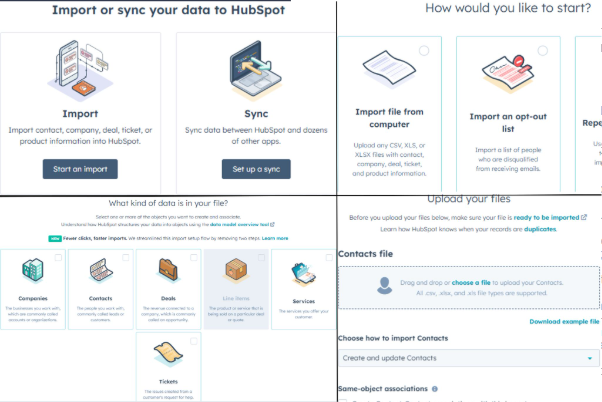
Import means pushing records into the instance with help of an external source like excel file is known as import.
- Check for existing data in HubSpot to avoid duplicates.
- Ensure relevant fields exist and match values (dropdowns/numbers) in your import sheet.
- Use a consistent naming convention for imports for easier tracking.
- Create a list of imported data to organize records and avoid excessive static lists.
- Use static lists to track contacts by import source for better segmentation.
- Select "single object" for single fields and "multiple objects" for more than one.
- Ensure email addresses are valid to avoid errors.
- Import files should be in .CSV or .xlsx format; delete blank fields in .xlsx files.
- Avoid importing large files all at once; split into smaller batches if needed.
- Carefully map fields during import to avoid mistakes.
- Correct phone number errors caused by the "+" symbol before importing.
- Normalize Country and State fields before importing.
- Check for consistency in dropdown fields, like company size.
- Check for duplicate records before import.
- Merge important fields (e.g., Notes Description, Created By) before importing notes.
Custom Lead Scoring & Grading
Assigning specific score to leads based on their activities and based on these scores assigning them a lifecycle stage automatically is called lead scoring.
Although HubSpot has its default scoring but it has various limitation:
- Default scoring has lot of demerits as it can’t we run on set of records it only run on whole database.
- If you change a lead scoring criteria, it will retroactively update all your records.
- We can’t set, copy, or clear the value through any automation in the default scoring field.
- We can’t see the Lead score history - what causes a lead's individual value to change over time.
So based on these limitations we create our custom lead scoring in which we have dependencies on the client.
Custom scoring has 2 integral parts:
- Behavioural Scoring
- Demographic Scoring
Custom Lead Scoring & Grading
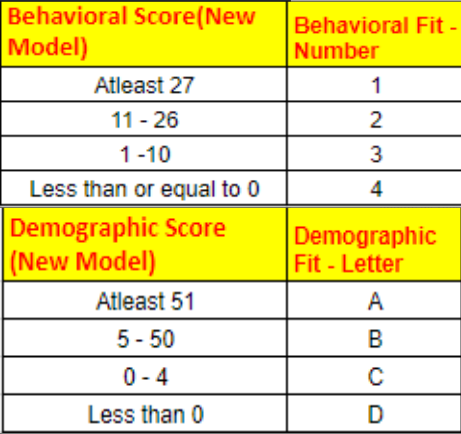
Behavioural Scoring :
As the name suggests this scoring depends upon the activities of a particular lead and these activities are assigned a particular score like:Booking a meeting, Page views, submission of various forms based on their value(Book a demo would have high value), Email engagement etc.
Demographic Scoring :
Here scoring of the lead depends upon the factors like the region to which a specific lead belongs to, the job title he/she holds, Number of employees in the organization that he works for, industry, Revenue etc.
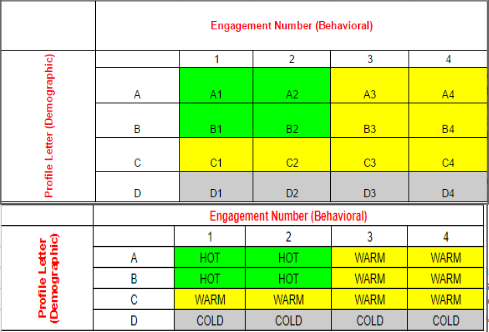
Grading Matrix :
As soon as we have a total score of a lead, then based on a range we create a fit both for demographic and behaviour score. For demographic fit we measure it numerically(1,2,3 and 4) and behavioural fit we measure it alphabetically(A,B,C and D). And after combing both the fits we have a Grading matrix.
Depending on where our lead lies on this matrix we assign their lifecycle stage.(MQL,MAL).
Nurture
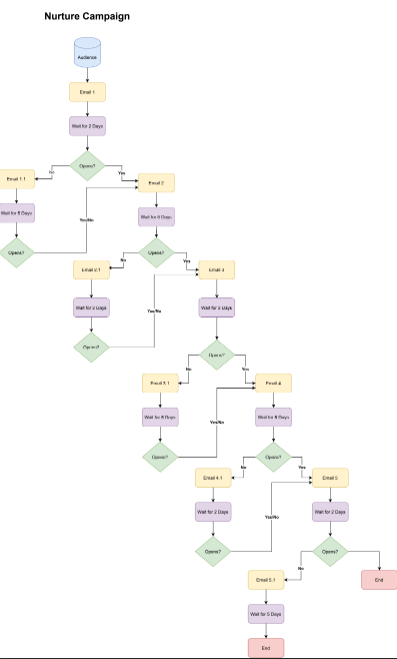
Nurture is the process of building relationships with your prospects with the goal of earning their business when they're ready. Lead nurturing is important to inbound marketing because it’s your opportunity to provide value to your leads and customers and help them grow with your business.
Best Practices:
- Identify the Goal of Your Lead Nurturing Campaign.
- Identify the Audience You Want to Nurture.
- Multi-channel lead nurturing: Reach and nurture your audience where they are - on multiple channels - rather than just email.
- Multiple Touches: Boost touches with a mix of content types and channels to increase your interactions and engagement among target audience members.
- Understand Each Stage of Your Buyer's Journey
- Create and Promote Educational Content for Each Stage of the Buyer's Journey
- Timely Follow Ups: Follow up with your leads in a timely manner to keep them engaged and interested as well as keep your brand top of mind.
Forms
A form is a collection of fields on your website to gather visitor information, stored in your CRM.
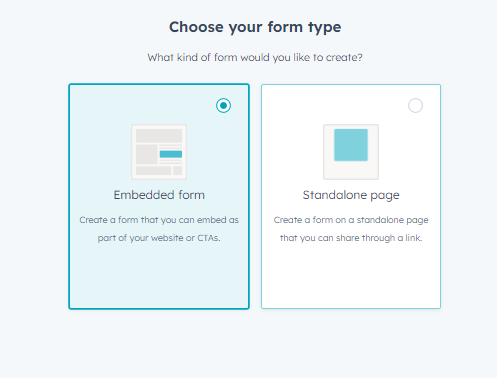
Form Types:
- Embedded Form
- Standalone Page
- Pop-Up Box
- Dropdown Banner
- Slide-In Left/Right Box
Forms
Progressive Profiling Forms
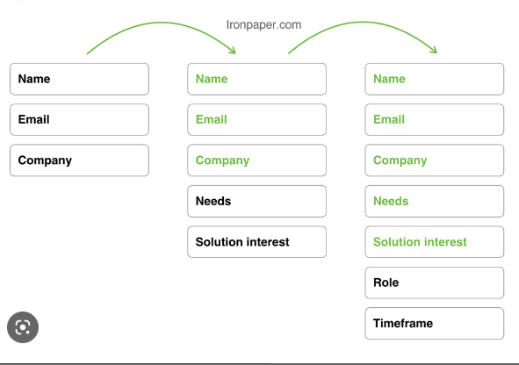
Progressive profiling in HubSpot allows professional or enterprise users to create iterative forms, showing new questions based on existing lead information.
Benefits of Progressive Profiling:
- Avoids repetition
- Saves time
- Captures valuable leads
- Shortens forms to boost conversions
Best Practices:
- Ask critical questions first
- Tailor questions by lead lifecycle stage
- Start broad, then refine
- Customize for different buyer personas
Account Based Marketing
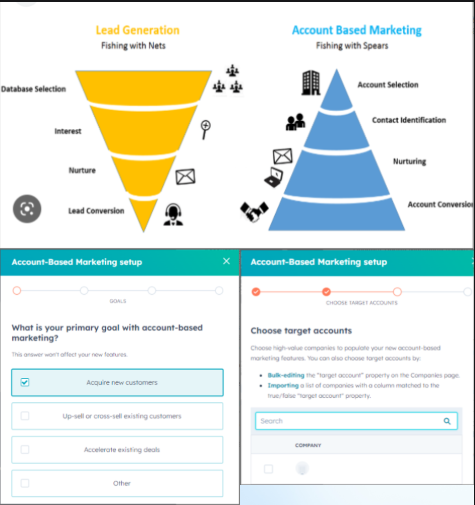
Account-Based Marketing (ABM) is a growth strategy where Marketing and Sales work together to create personalized experiences for high-value accounts.
Best Practices for ABM:
- Align Marketing and Sales
- Focus on relevance for key accounts
- Ensure consistent customer experiences
- Measure ROI and streamline sales cycles
- Grow through strong account relationships
Account Based Marketing
ABM Tactics:
- Use a strategic account planning template
- Align organizational support for ABM
- Build a dedicated ABM team
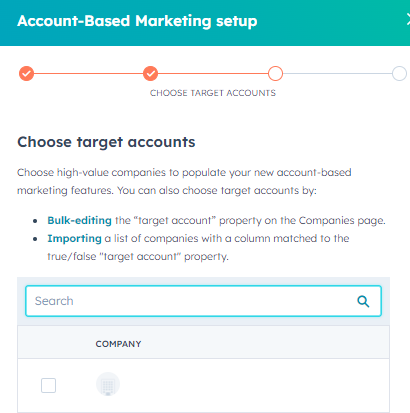
- Identify and select target accounts
- Create joint account plans for Marketing and Sales
- Build relationships with the buying committee
- Measure and optimize ABM efforts
Integration with most useful applications
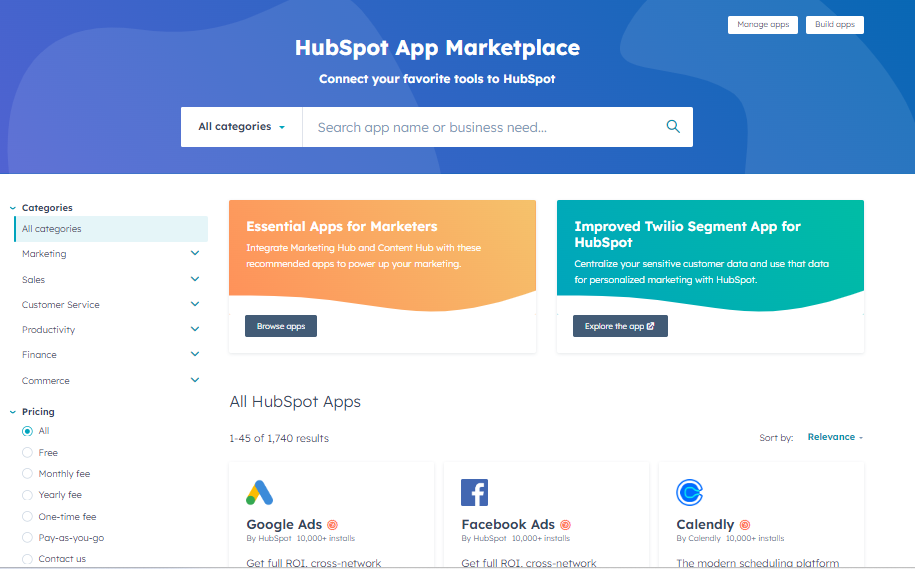
Integrations link your software to third-party applications for seamless data sharing, enhancing functionality and features.
Benefits of Integration:
- Simplifies software needs as your business grows
- Enables a wider range of tasks through connected systems
Getting Integrations:
- Integrations are found in marketplaces where users can explore options. Our marketplace lets users search, learn, and connect HubSpot to their preferred integrations.
Integration with most useful applications
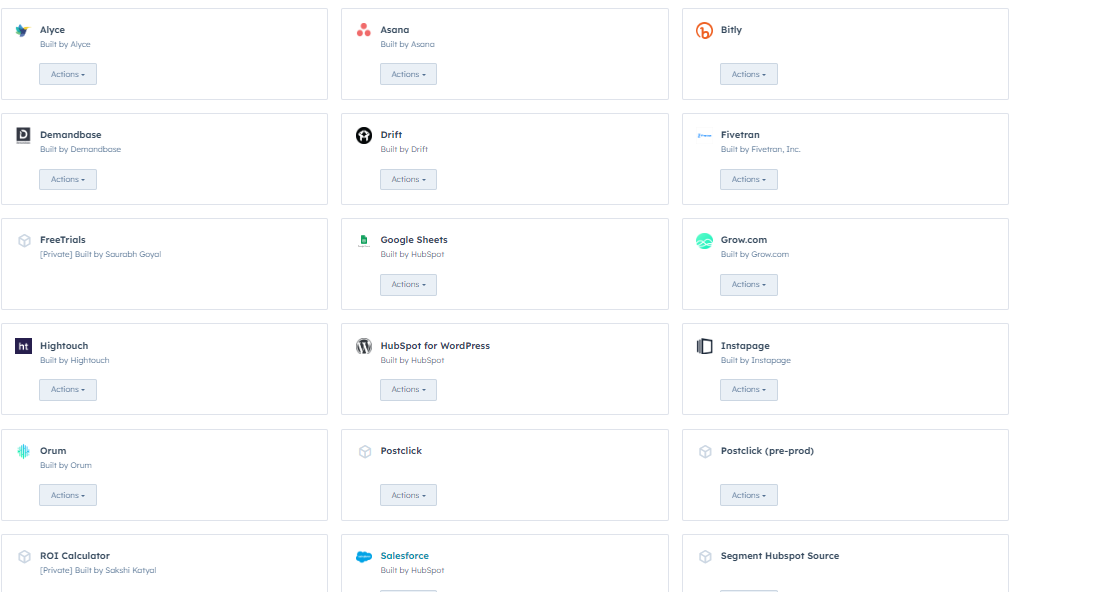
Most useful applications :
- Facebook Ads
- Google Ads
- AdRoll
- Zapier
- Slack
- Asana
- Zendesk
- Zoominfo
- Typeform
- YouTube
- Salesforce
- Zoom
- GoToWebinar
Attribution Model
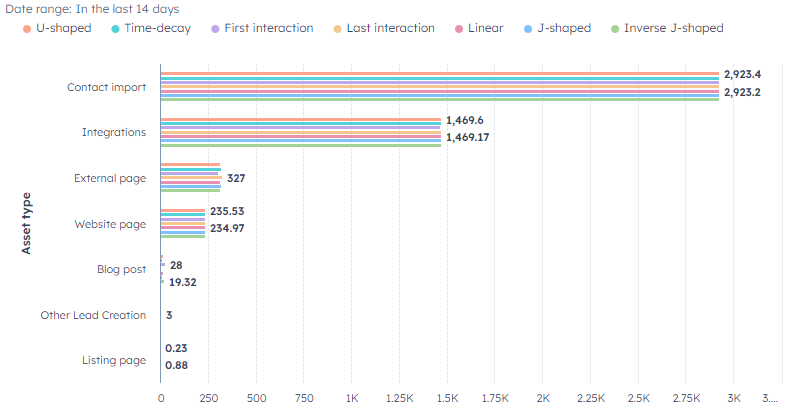
Attribution modeling reveals how different marketing channels, touchpoints, and campaigns generate leads, helping marketers identify the most effective efforts across the buyer's journey (e.g., PPC, website, email, social media).
Benefits:
- Directs marketing investments to the most impactful channels
- Provides insight into customer behavior and journey
- Enhances understanding of how channels work together
- Tracks key stages like first, multi-, and last-touch interactions
- Identifies which sources and campaigns create the most contacts and deals
Lead Life Cycle
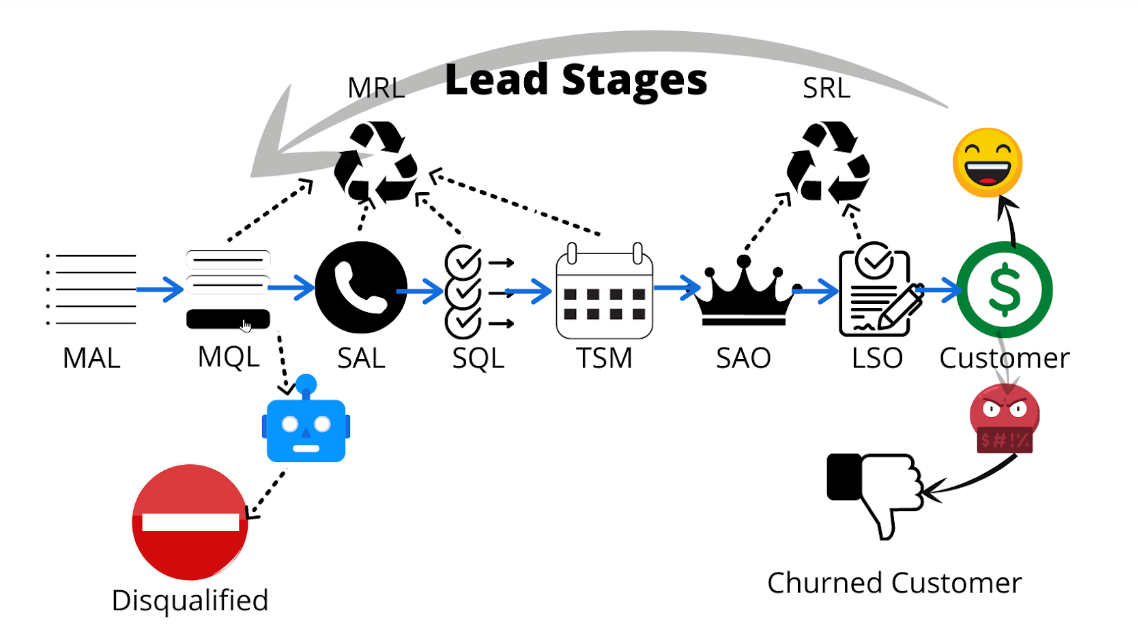
The process that a person goes through from their first engagement with your business to the point where they part with their cash. Each person who interacts with your brand is a potential lead. But only a small percentage will end up converting to become customers.
Stages of Lead Lifecycle : Subscribers > Leads > MQL > SQL > Opportunities > Customers > Evangelist > Others
Best Practices :
- Automating the lead lifecycle process.
- Gathering Valuable Lead Data.
- Effective Lead Enrichment.
- Optimized Lead Nurturing Process.
- Tracking Lead Behavior and Activities.
- Automated Lead Routing.
Custom Quotes
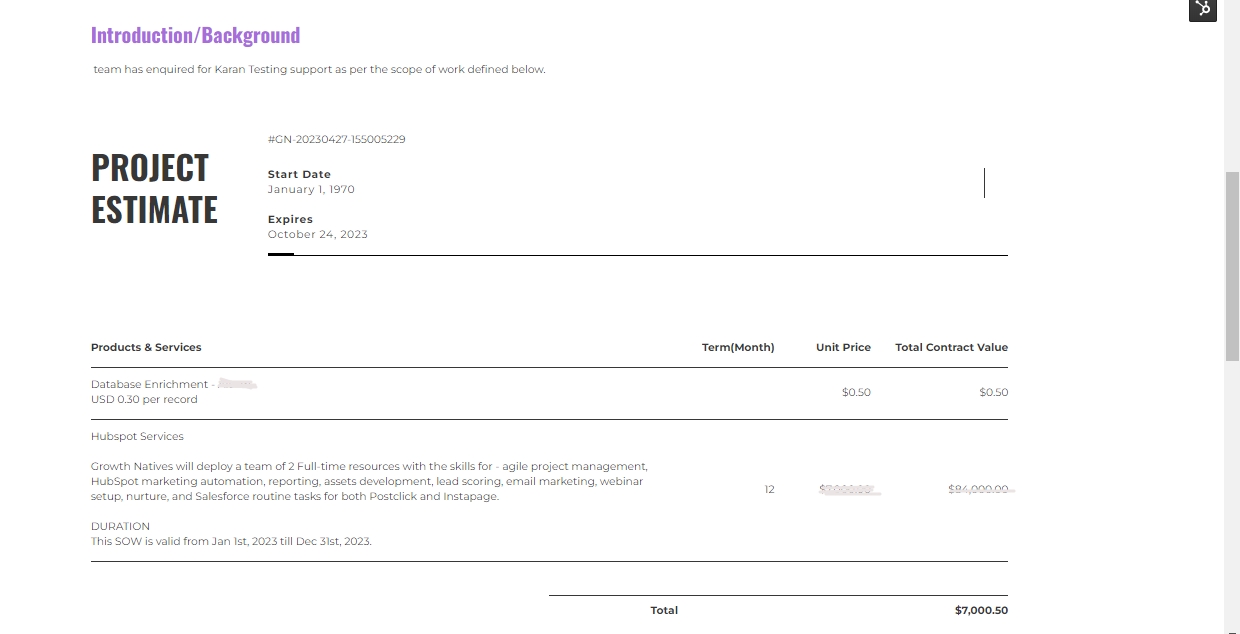
Custom Quotes provides the functionality to efficiently create and send proposals to prospects, while seamlessly connecting with other objects (contacts, companies, and deals).
Custom quotes now include the ability to tailor your CRM data to give prospects are more effective and clear user-experience by providing sales teams, developers and marketers the ability to:
- Quote in design tools
- Create Default templates
- Design Custom template editor
- Leverage Reporting and workflow (coming soon)
- Automation through API (coming soon)
Benefits of Custom quotes:
- Brand Consistency
- Build Trust
- Save Time
GDPR
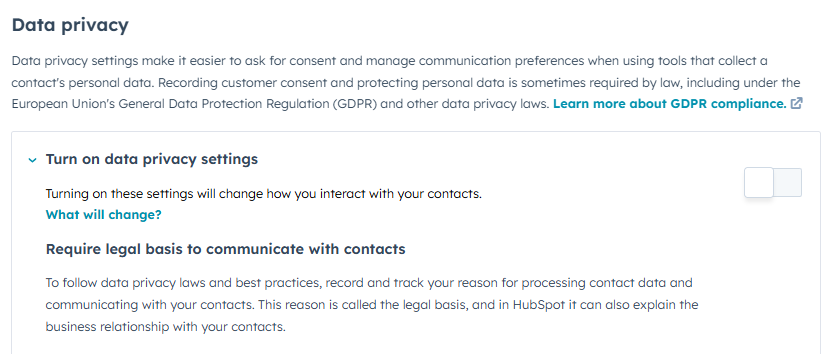
The GDPR (General Data Protection Regulation) is an EU Regulation that significantly enhances the protection of the personal data of EU citizens and increases the obligations on organisations who collect or process personal data.
The GDPR applies to businesses that -
- Market their products to people in the EU.
- Monitor the behavior of people in the EU.
Benefits of Custom quotes:
- Make a register of data processing.
- Enhanced Data Security
- Greater Consumer Confidence and Trust
- Better Customer Relationships
- A better understanding of the data being collected
- Protected and enhanced enterprise and brand reputation
Data Sanity Model
The process of aligning our data in our instance in a particular manner and also refining our data is known as Data Sanity. Here we remove all the bad values in our database for important fields like First name, Last name, Email addresses, Job titles, Country, Phone number and industry.
Benefits :
- Organized database.
- Storing all the bad values in a list so that we could enrich those records or delete them from the instance.
- Automating the whole process so that whenever a bad record enters our system it automatically enters the bad value list or better get enriched.

Data Refreshment
As our database gets older, it continuously needs refreshing. So, for that we have to go through every single contact in our database and with help of different tools like Zoominfo, these contacts can be updated. It is best to update data every 6 months or so.
Benefits:-
- With updated data, you’ll be able to reach the contacts with a new perspective.
- If a person changes their company, you’ll be able to reach out to new clients as well.
- Your database will be much sorted and such wasteful data can be clearout from the instance.
- Location also varies, as if a person shift into as a country with GDPR laws, we can only reach them with a consent.

Attractive Assets
HubSpot Assets:
HubSpot Assets are as follows:
- Landing Page
- Form
- Website
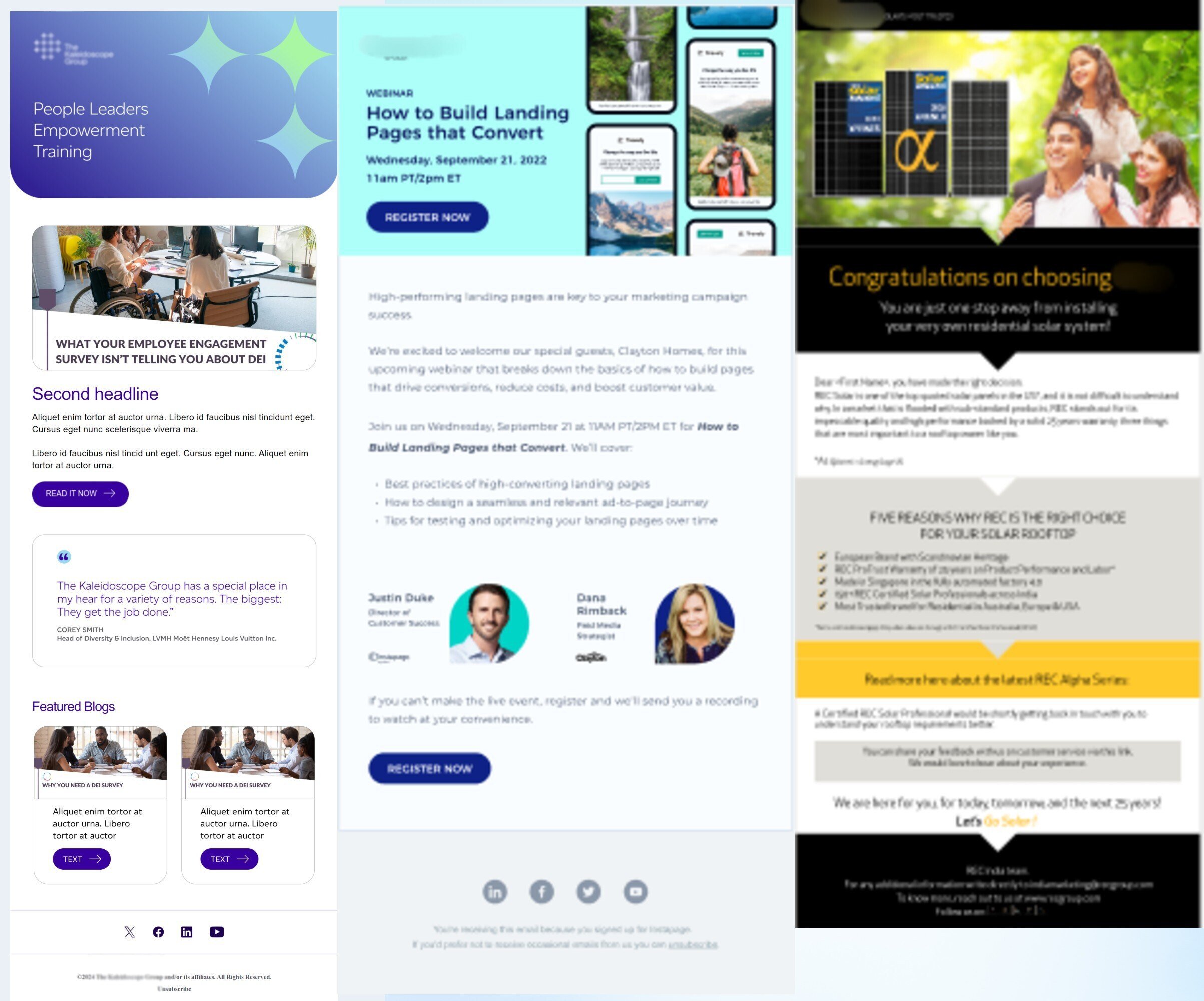
HubSpot provide functionality of creating attractive assets like emails, Landing pages and website. By attractive we mean that the content of these assets are interactive, which in turn keeps the users engaged.
Best Practices for Email :
- The content of email should be short and direct so that it is easy to comprehend.
- Valid signature should be used.
- Craft a strong subject line.
- Keep your email on-brand.
- Personalize every email.
- Incorporate unique visual content.
- Use a responsive design.
- Optimize your email with calls-to-action.
- A/B test your design.
Attractive Assets
Best Practices for Landing Page :
- Craft a benefit-focused headline.
- Choose an image that illustrates the offer.
- Write compelling copy.
- Include the lead form above the fold.
- Add a clear and standout call-to-action.
- Give away a relevant offer.
- Only ask for what you need.
- Remove all navigation.
- Make your page responsive.
- Optimize for search.
- Remember to use a thank you page.
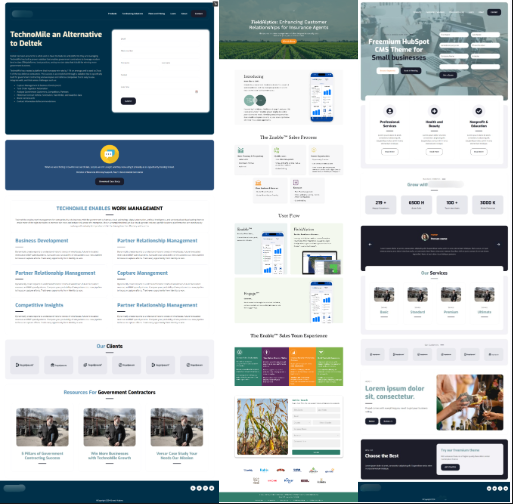
Here is the link to some attractive Landing page samples.
Attractive Assets
Best Practices for Website:
- Craft a benefit-focused headline.
- Choose an image that illustrates the offer.
- Write compelling copy.
- Include the lead form above the fold.
- Add a clear and standout call-to-action.
- Give away a relevant offer.
- Only ask for what you need.
- Remove all navigation.
- Make your page responsive.
- Optimize for search.
- Remember to use a thank you page.
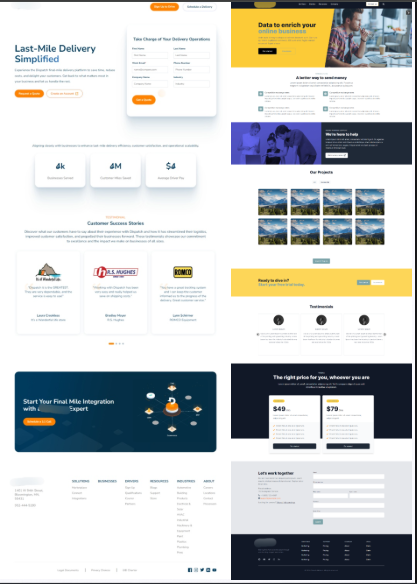
HubSpot Ecosystem
HubSpot Ecosystem is an all-in-one CRM tool for Marketing, Sales, and Service, allowing you to manage and report activities seamlessly.
Marketing:
- Create and send email campaigns
- Build landing pages and forms (including progressive profiling)
- Develop websites and track ads
- Manage social posts and content files
- Run campaigns and analyze asset performance
Sales:
- Manage deals, quotes, and tasks
- Use chatbots, sequences, and meeting scheduling
- Create templates, snippets, and playbooks
- Track calls, use forecasts, and handle payments
- Service:
- Resolve ticket queries
- Create feedback surveys
Service:
- Resolve ticket queries
- Create feedback surveys
- Utilize knowledge base and customer portal.
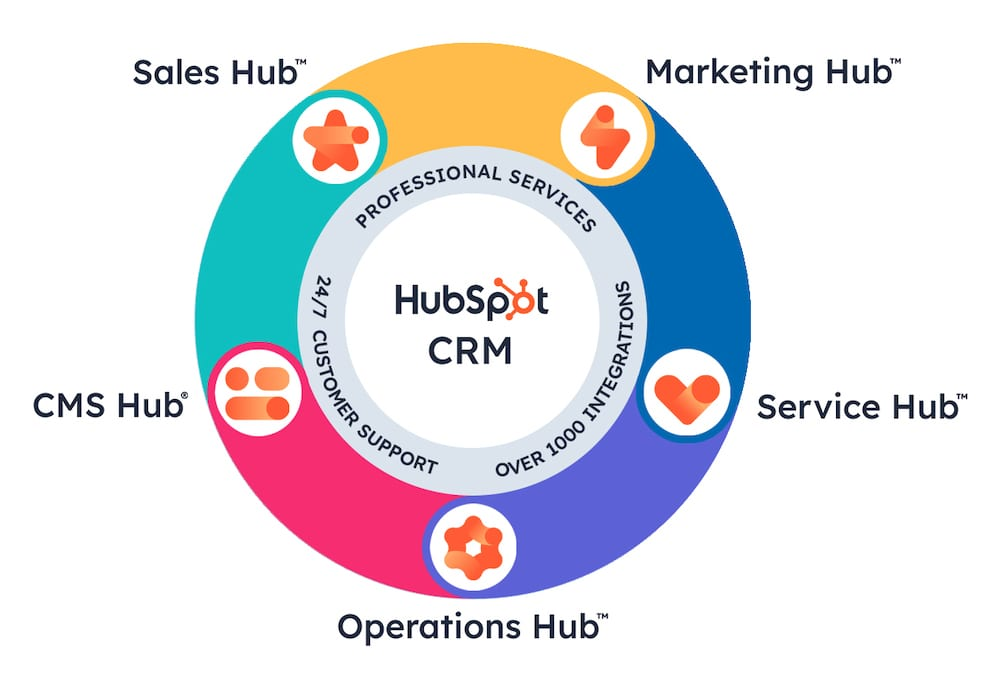
Business Unit
Business Units in HubSpot allow marketing teams and assets to stay distinct while simplifying work. They help manage multiple brands with unique logos, colors, and contacts. You can track which brand a contact interacts with and manage campaigns across brands
Benefits:
- Host content on multiple domains and manage distinct email subscriptions for each brand
- Cross-sell and upsell contacts across brands
- Share campaigns, assets, and templates across brands
- Compare campaign performance across brands
- Streamlined data sharing and campaign management
- Easy organization of marketing assets
- Available with HubSpot Enterprise for added scalability and features
Disadvantages:
- Risk of contacting the wrong audience if campaigns are misaligned
- Manual setup for roles and team assignments
- Requires careful organization and responsibility for user permissions
- Single billing for all units, which may complicate separate finances.
Reports and Dashboards
Report and Dashboard
HubSpot offers powerful reporting tools by integrating CRM, marketing, sales, and service data into one platform. This allows you to create custom reports and track key metrics such as contact personas, conversions, page traffic, email subscribers, and the performance of landing pages, blogs, and campaigns. You can also monitor traffic from different marketing campaigns, active campaigns, and social media efforts. With customizable dashboards, you can consolidate all your marketing reports to easily analyze and draw actionable insights from your data.

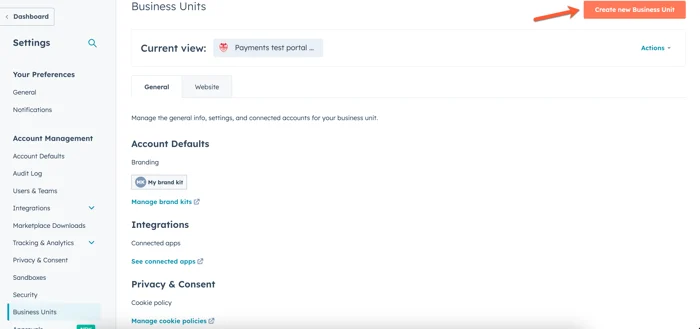
Marketing/non-marketing contact update
In HubSpot, you can send marketing emails to contacts marked as marketing contacts, based on your subscription type (Starter, Professional, Enterprise). Contacts who unsubscribe or hard bounce should be marked as non-marketing.
Path: Contact > More > Set as marketing/non-marketing.
Chat flows
Benefits of Chat Flows:
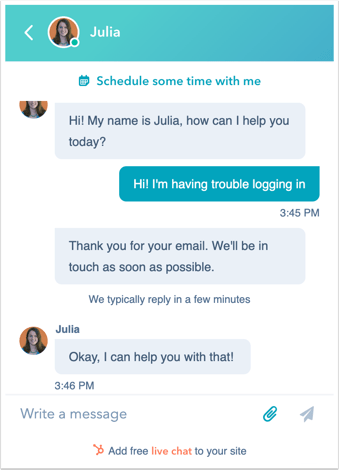
With HubSpot’s free chatbot builder software, you can easily create messenger bots that help you qualify leads, book meetings, provide answers to common customer support questions, and more—so your team has more time to focus on the conversations that demand the most attention
- Improve Lead Generation
- Reduce Customer Service Costs
- Monitor Consumer Data to Gain Insights
- Devise a Conversational Marketing Strategy
- Balance Automation with Human Touch
- Meet Customer Expectations
- Achieve Scalability of Support
- Streamline Your Customer Onboarding Process
- Make the Customer Journey Smoother
- 24/7 Availability
- Instant Response
- Omni-channel
- Personalization
- Multilingual
- Order without human help
Lists
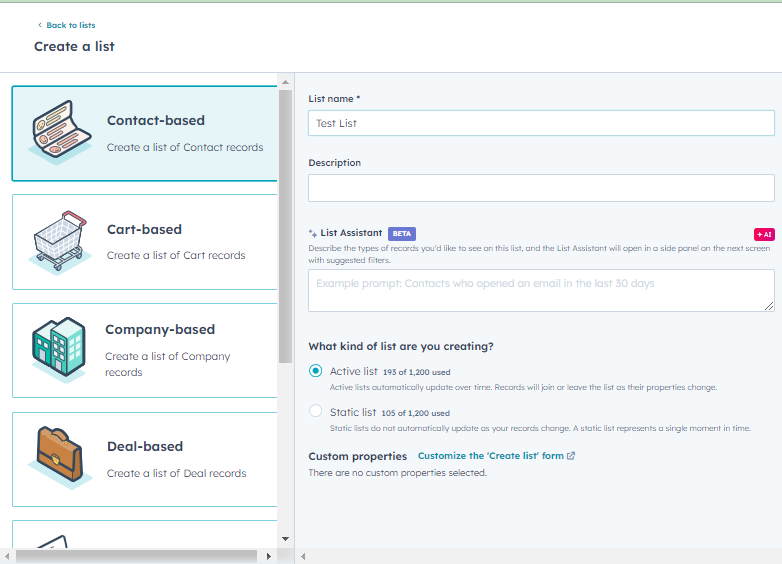
The HubSpot lists tool lets you create and edit contact or company lists based on property values, activities, and other characteristics. There are two types of lists: active lists, which auto-update when contacts meet criteria, and static lists, which capture a fixed group based on criteria at the time of creation and require manual updates.
Tasks
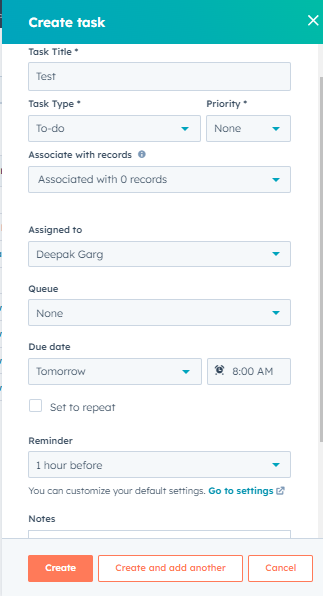
In HubSpot, you can track your to-do list by creating tasks, including reminders linked to specific records. Sales Hub or Service Hub users can set recurring tasks. Tasks can be viewed, edited, completed, or deleted across HubSpot, with options to filter and save views on the index page. Super admins control task viewing and editing permissions, and users can opt for daily task summary emails.